
Intelligent protection against traffic that genuinely costs your PrestaShop store
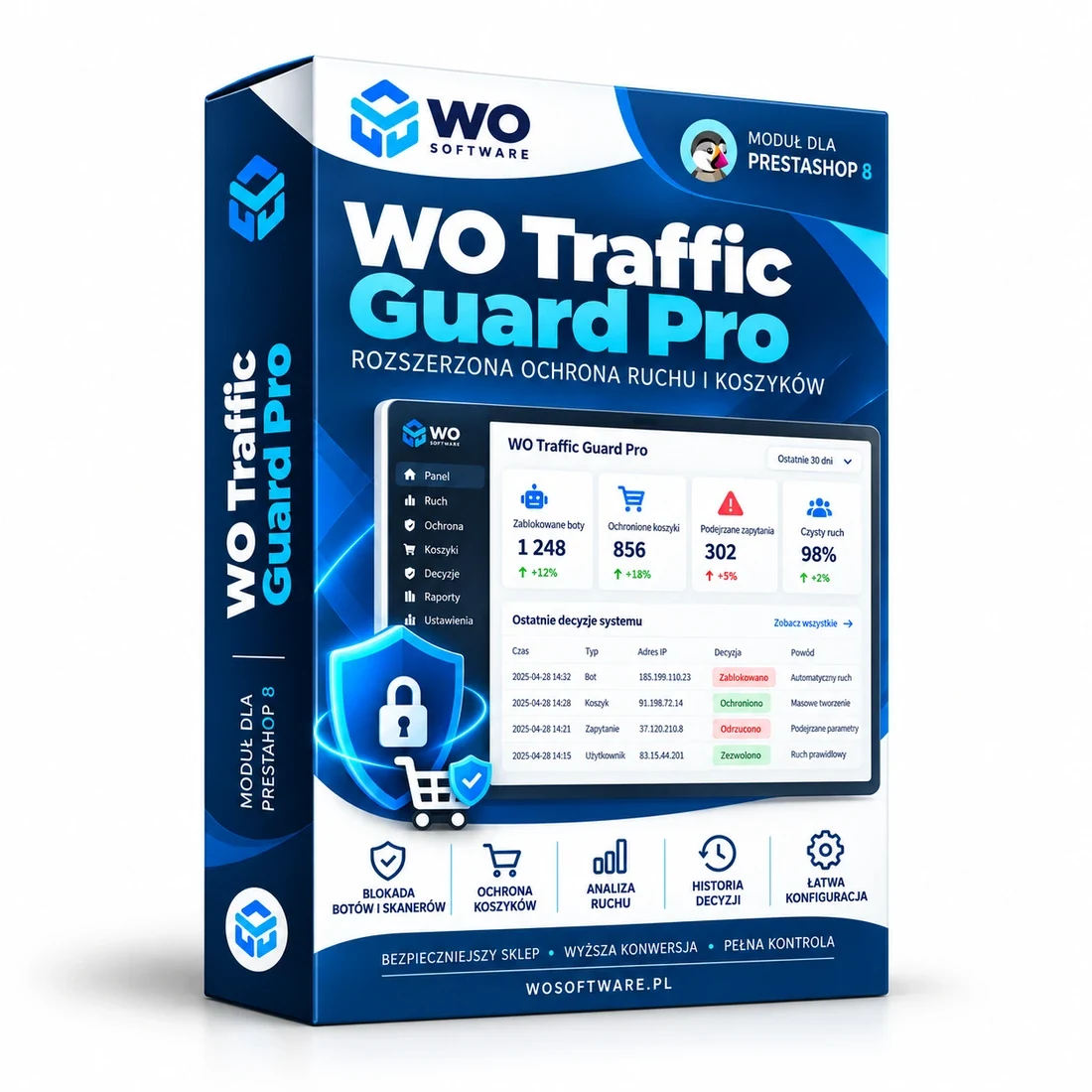
WO Traffic Guard Pro protects PrestaShop against bots, scanners and automated traffic that generates expensive product listings, filters, login requests or new carts. The module is not limited to a simple per-IP rate limit — it can also recognise a distributed flood in which almost every request comes from a different source.
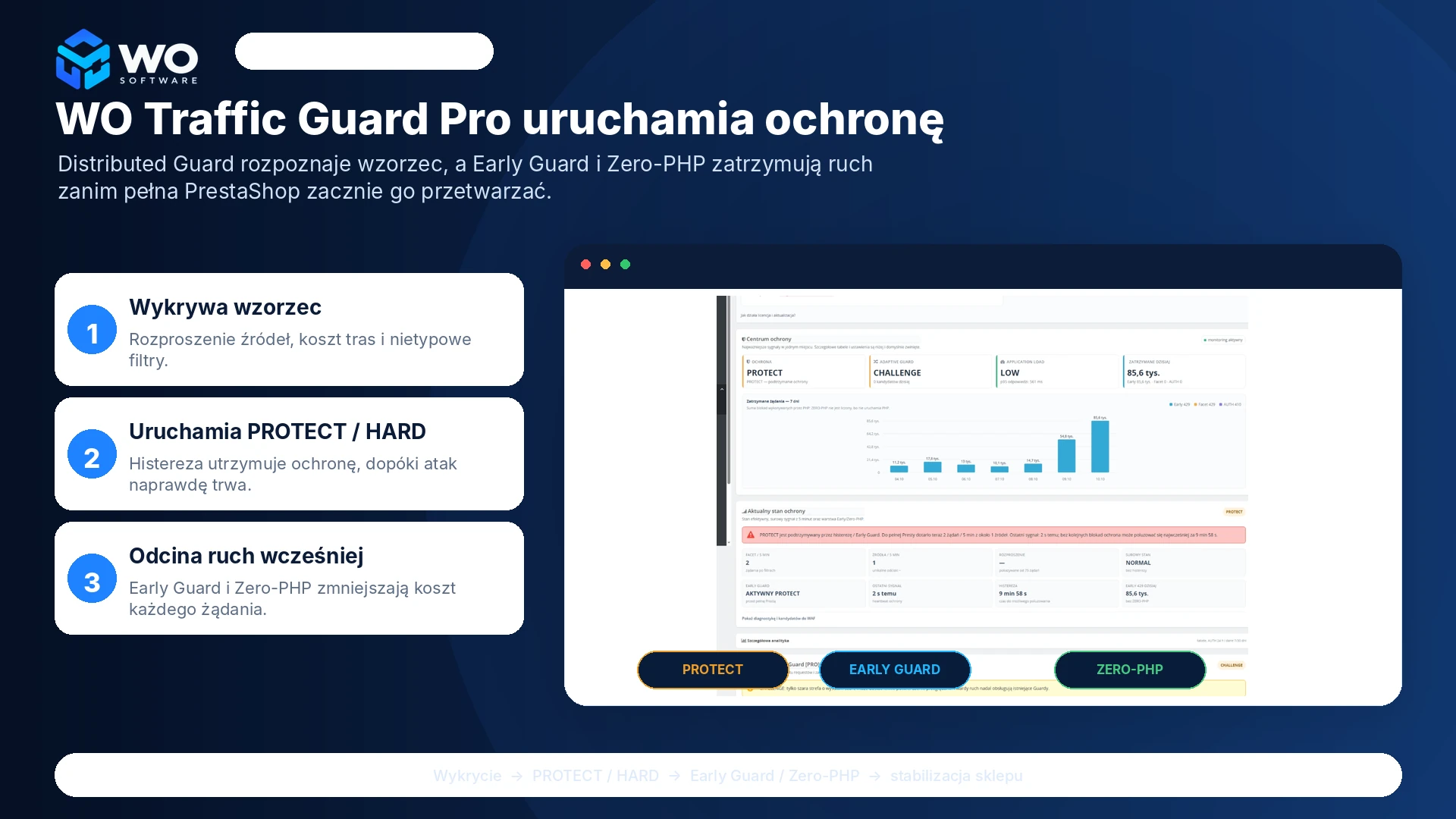
Protection is layered. In SHADOW and CHALLENGE modes it first observes and explains its decisions. Once a threat is confirmed, it can move to PROTECT/HARD, Early Guard and selected Zero-PHP rules before the full PrestaShop bootstrap.
The administrator receives a clear dashboard, blocking history, route-cost information and Local PHP metrics. This shows not only how many bots are present, but also whether a specific pattern is actually placing load on the store.
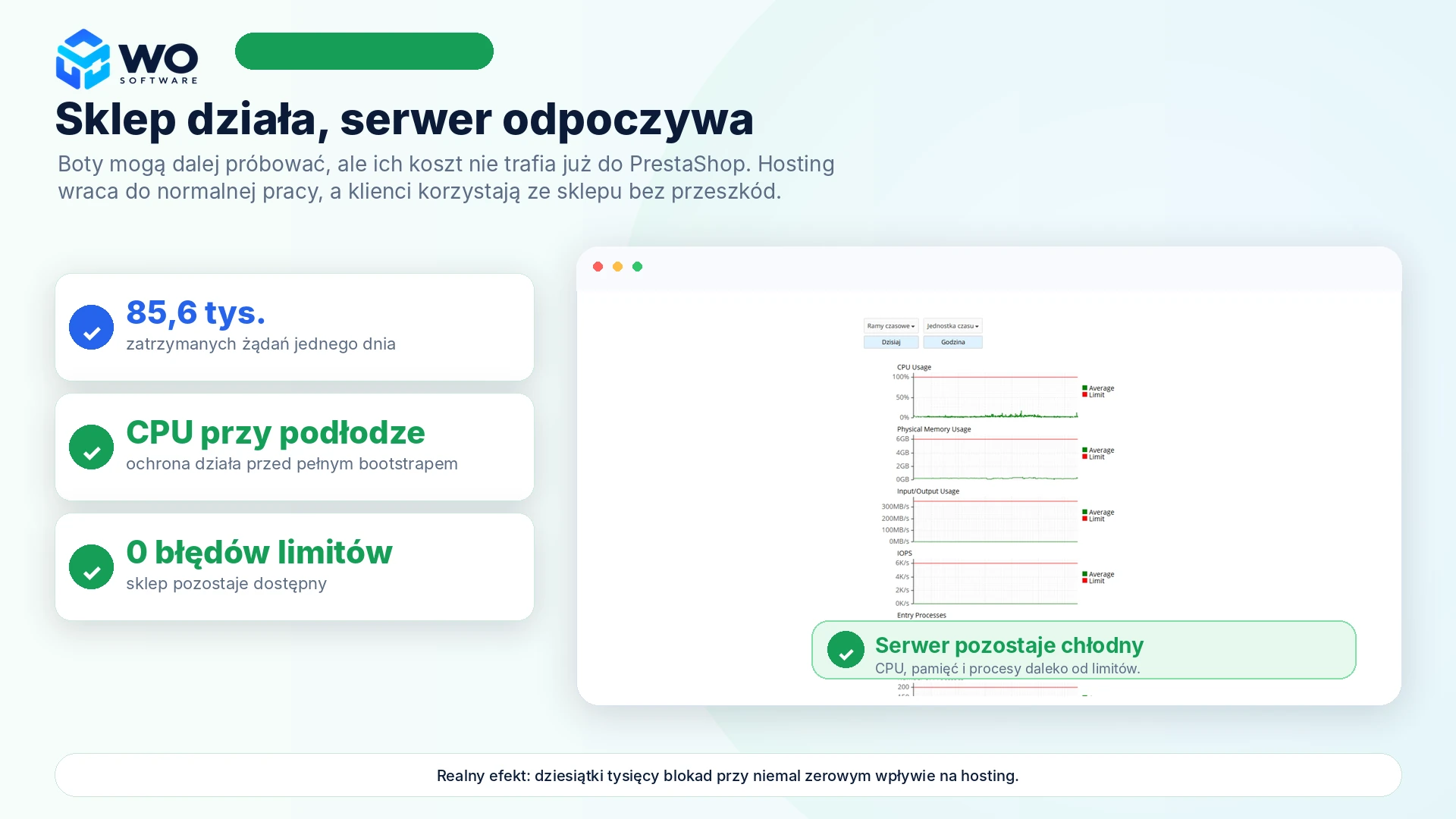
Real production example: 85.6k requests stopped in one day, active PROTECT, and only 2 technical requests per 5 minutes reaching the full PrestaShop bootstrap — while Application Load remained LOW.
When does WO Traffic Guard Pro make the biggest difference?
- Bots generate expensive combinations of filters, sorting, pagination and product listings.
- Traffic is distributed — hundreds of requests arrive from hundreds of sources, so a normal per-IP limit is not enough.
- The store receives scanners, login loops, cache-busting requests or technical probes for files and endpoints.
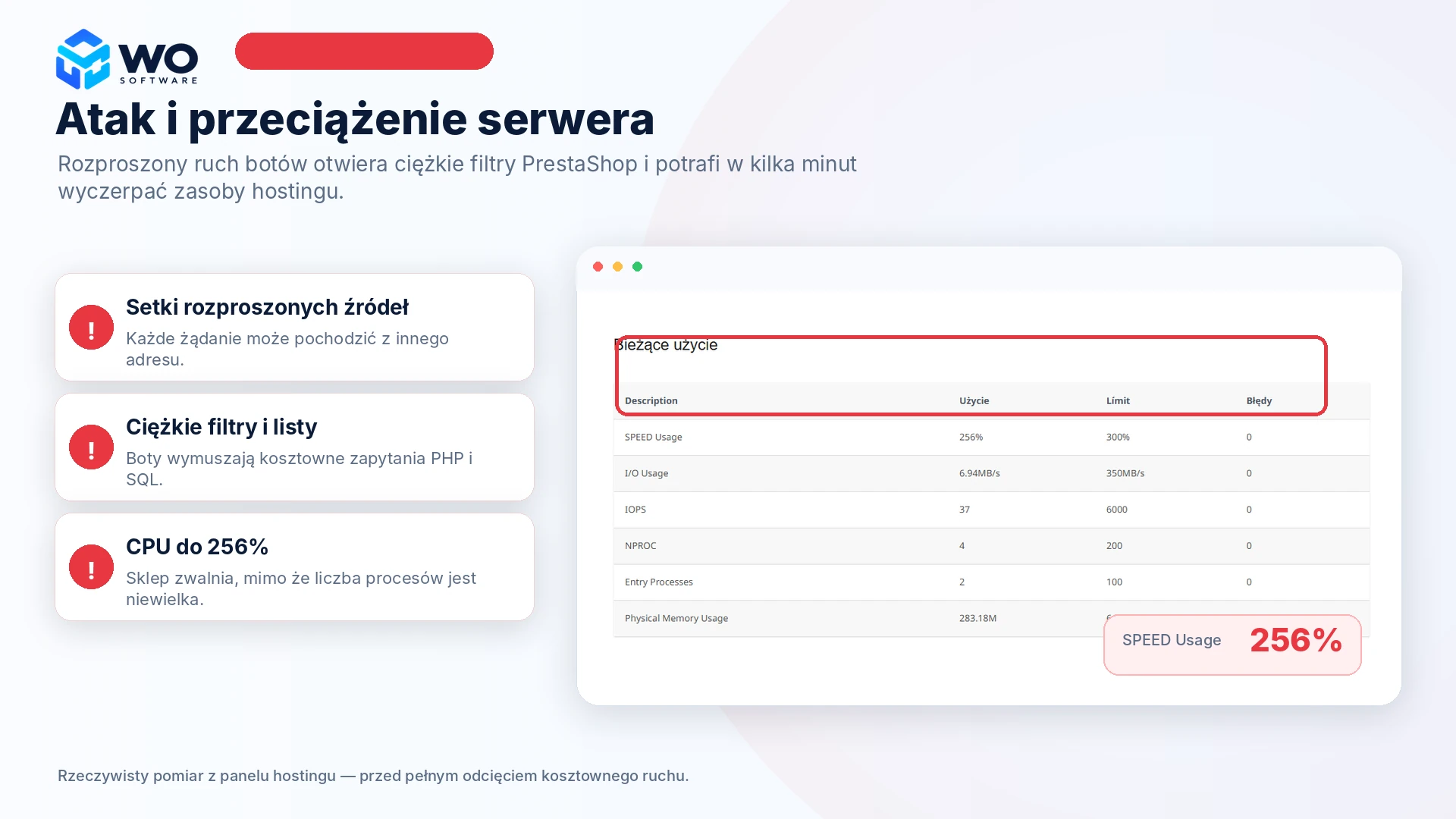
- Hosting shows CPU or process spikes, but it is difficult to identify the route causing them.
- Automated clients try to create carts in bulk or load checkout and session handling.
- The administrator wants to observe and understand protection decisions before blocking traffic aggressively.
PROOF IN PRACTICE
Case study: 85.6k requests stopped in one day
During a real wave of distributed traffic, the module maintained PROTECT while Early Guard stopped technical requests before the full PrestaShop bootstrap. At the same time, the local profiler reported Application Load as LOW.
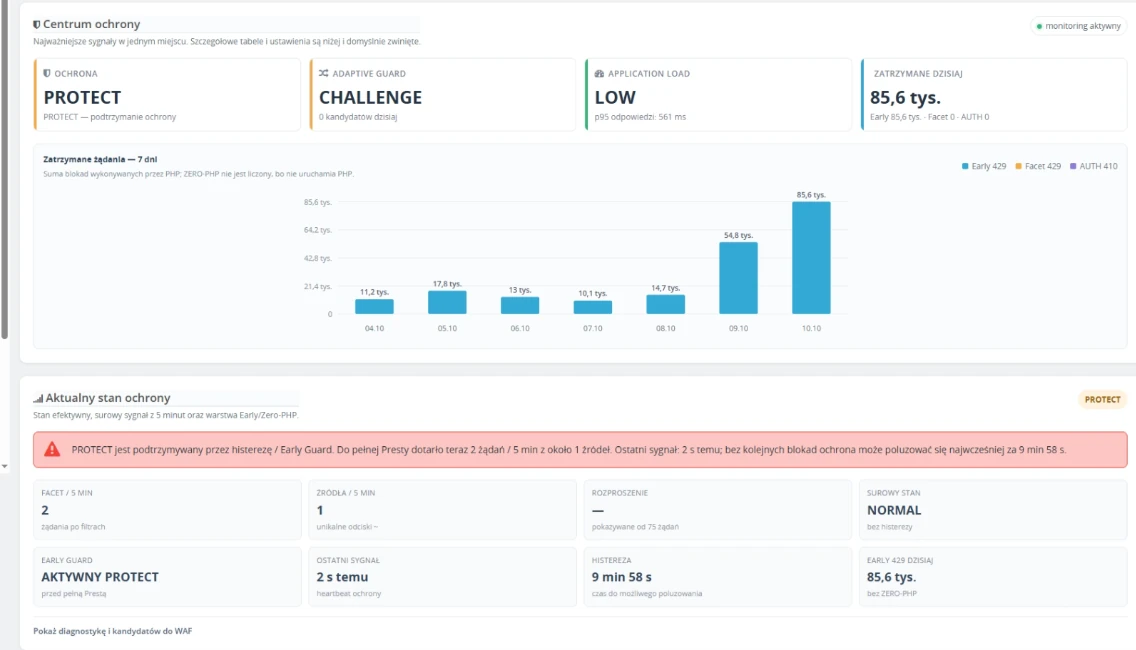
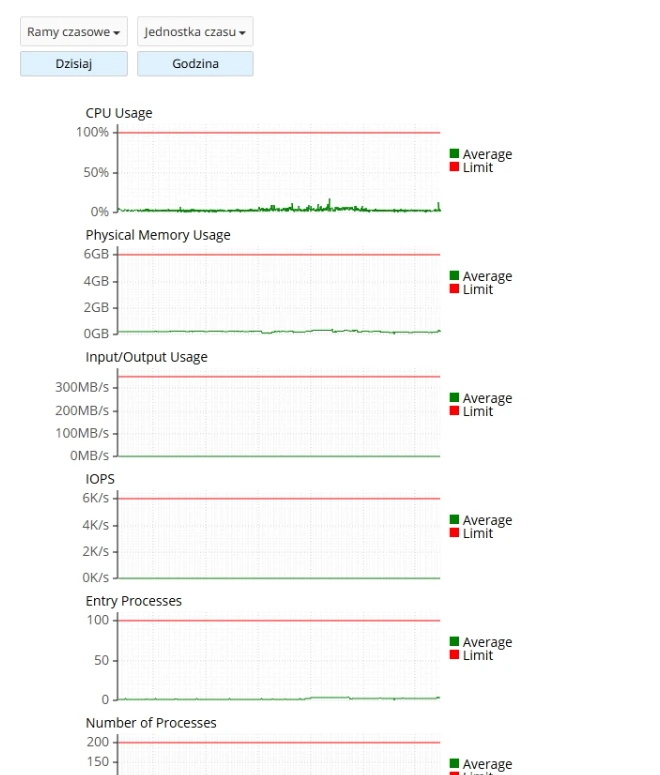
The screenshots show a real case from one store. The result depends on hosting, PrestaShop configuration, installed modules and the traffic pattern; it must not be treated as a guarantee of a specific resource saving.
Key protection layers
Distributed Facet Flood Guard
Recognises distributed floods of filtered listings even when almost every request comes from a different source.
Early Guard and HARD Zero-PHP
Selected, clearly technical requests can end before the full PrestaShop bootstrap and, in HARD mode, even without starting PHP.
Adaptive Route Guard
Learns route patterns and cost, works in SHADOW or CHALLENGE mode and explains the reason for every decision.
Resource Providers / Local PHP
Measures response p50/p95, PHP CPU, memory and the most expensive routes without tying the module to a specific hosting provider.
New-cart protection
A separate counter for new-cart creation attempts, observation mode, temporary restrictions, history and trusted ranges.
Explainable dashboard and hysteresis
Shows the raw and effective protection state, the latest signal, hysteresis time and the scale of stopped traffic.
ResultsPerPage, AUTH and Scanner Guard
Limits absurd listings, authentication loops and obvious probes for .env, .git, backups and other technical resources.
Faceted SEO Guard
Marks technical filtering and sorting URLs as noindex,follow without blocking normal customer navigation.
Privacy and local operation
Analytics run in the store, do not store full IP addresses in the module traffic log and require no external proxy.
WO License Cloud and private updates
The licence is assigned to a domain and new stable releases can be downloaded directly from the module configuration.
A safe step-by-step rollout
- Back up the database, the module directory and the .htaccess file.
- Upload the ZIP through Module Manager without uninstalling the previous edition.
- Open the configuration and confirm activation in WO License Cloud.
- Keep Adaptive Guard in SHADOW or CHALLENGE and verify normal customer paths.
- Test sign-in, filtering, cart, checkout, payments and the integrations used by the store.
- Only after observation, tune the PROTECT/HARD thresholds and optionally enable cart protection.
Privacy, protection boundaries and good practice
The main analysis runs locally in PrestaShop. The module does not store full IP addresses in its own traffic log; short-lived pseudonymous source fingerprints are used to assess distribution. Communication with WO Software is used for licence activation and authorised updates.
Important: WO Traffic Guard Pro is not antivirus software, a complete WAF or volumetric network-level DDoS protection. Traffic stopped earlier by the hosting provider or Cloudflare never reaches the module. Before enabling active blocking, test custom checkout, caching, integrations and module controllers on a store copy. Results shown in the example come from one production environment and do not guarantee the same outcome on every hosting platform.
Releases and private updates
Version 1.2.17
Oct 10, 2026 · 169 KB
Full Polish and English localisation:
- bilingual Protection Centre, Adaptive Guard and Resource Providers,
- bilingual WO License Cloud, cart protection, diagnostics and email notifications,
- English interface selected from the PrestaShop back-office language,
- no changes to protection logic, thresholds, history or licence data.
Version 1.2.16
Sep 27, 2026 · 132 KB
Stable commercial release:
- Protection Centre and 7-day chart,
- Adaptive Route Guard in SHADOW/CHALLENGE modes,
- Resource Providers with universal Local PHP,
- PROTECT/HARD hysteresis and HARD Zero-PHP,
- compact WO License Cloud panel.
Version 1.2.8
Sep 26, 2026 · 90 KB
Added faster detection of highly distributed floods; PROTECT/HARD can react earlier when the share of unique sources is very high; Early Guard starts from PROTECT; added a trust score for normal customers; extended Early Guard to stop .env, .git, GraphQL, backup and secret-file probes earlier; added protection against backup*.zip/tar/tgz/gz/sql probes; added a source-distribution percentage indicator; extended Early Guard status with PROTECT/HARD; preserved manual thresholds and existing history.
Version 1.2.7
Sep 26, 2026 · 88 KB
Minor performance improvements.
Frequently asked questions
Does WO Traffic Guard Pro replace Cloudflare or a WAF?
No. It is a specialised PrestaShop protection layer. It can operate at the application level on its own or complement hosting security, ModSecurity, a WAF and Cloudflare.
Can the module block a real customer?
Every automated protection system requires testing. The module therefore provides SHADOW, CHALLENGE, explainable decisions, session trust and hysteresis. Review your store traffic and complete a test purchase before using more aggressive blocking.
Is a Cloudflare account required?
No. Core protection, Adaptive Guard, the Local PHP Resource Provider and cart protection work locally. An external WAF can be an additional layer but is not required.
Does the module store visitor IP addresses?
It does not store full IP addresses in its own traffic log. Some analyses use short-lived pseudonymous source fingerprints. Independent server or hosting logs may follow their own policies.
Does it work with a custom checkout?
The main traffic protection works independently of checkout, but new-cart protection may not cover every custom module controller. Test active restrictions on a store copy first.
What happens when the support period ends?
The licence is perpetual, so the installed version continues to work. The support and update period determines how long you can download new releases and receive assistance under the offer.
How do I update the module?
Download the private ZIP from your account or the module configuration and upload it through Module Manager. Do not uninstall the previous version — settings and history remain intact.
Does the module support PrestaShop 9?
Version 1.2.17 is intended for PrestaShop 8.x. PrestaShop 9 is not yet declared officially supported.
Comments
There are no public comments for this product yet.
Sign in to add a comment.